
-
-
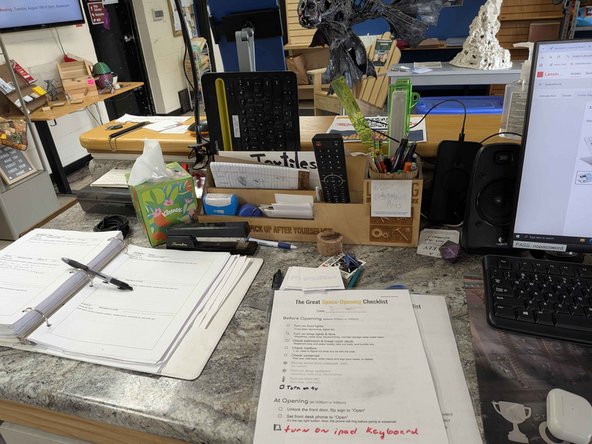
Power the iPad on with the power button located on the bottom left.
-
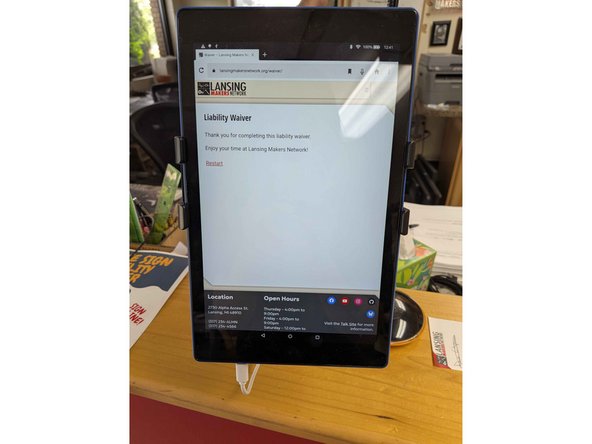
Swipe up to unlock; the iPad should automatically open up to the volunteer liability waiver sheet. If not, open the browser and go to lansingmakernetwork.org/waiver.
-
-
-
Spot check the bathroom and kitchenette to make sure they're stocked.
-
This includes replenishing the soap/paper towels and quickly tidying the space.
-
Tidy up any immediate cleanup needs
-
The cleaning/restock supplies are located in the bathroom located inside the woodshop.
-
-
-
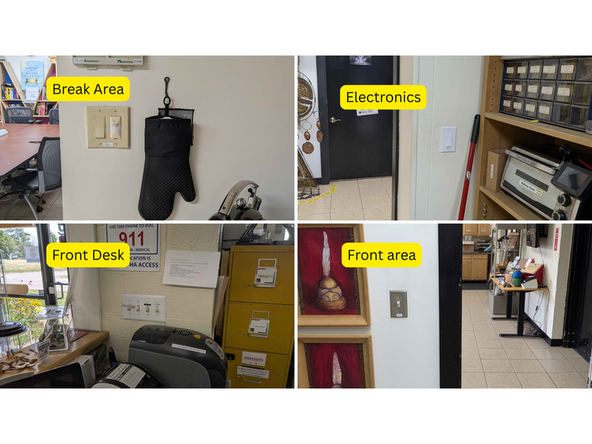
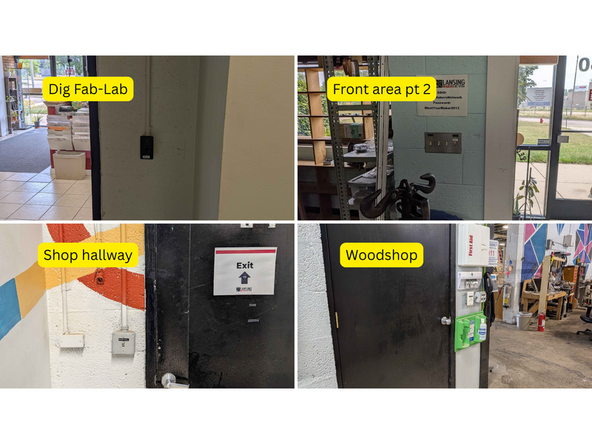
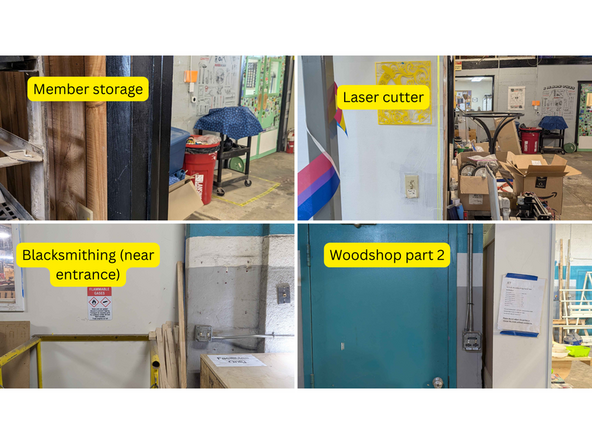
Turn on the (many) lights. See attached media for a collage of all the lights to turn on.
-
These lights include the front desk, digital Fab-Lab, sewing area, electronics, break area, woodshop, forging/blacksmithing, jewelery, member storage, and laser cutter. See attached photo collage for a reference.
-
-
-
Press the red button to turn on.
-
Follow the Digital signage troubleshooting if the display doesn't appear correct.
-
-
-
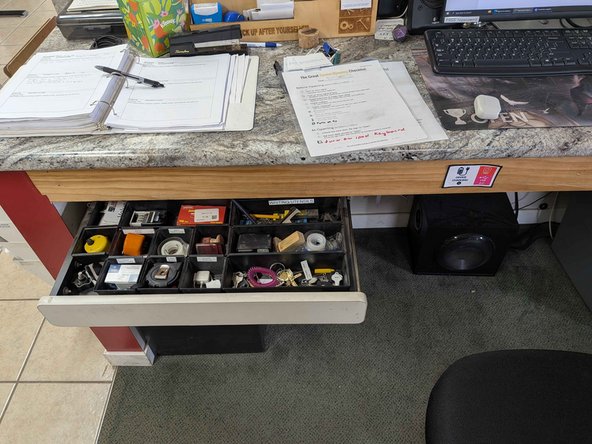
Follow the SOP for counting down and starting the cash drawer.
-
Count down the cash drawer before unlocking the front doors.
-
-
-
Unlock the front door with the key with the pink bouncy thing attached to it. The front door key is clearly labelled.
-
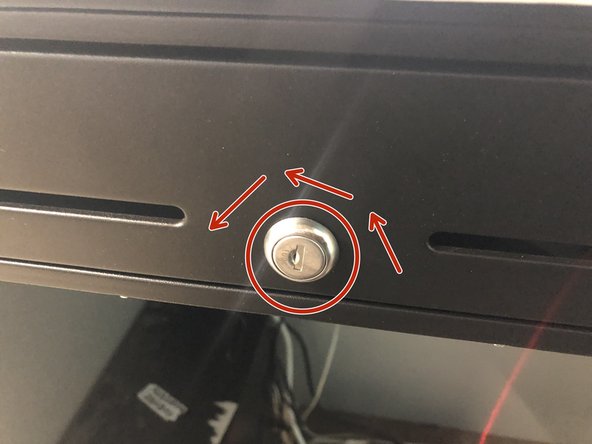
To unlock the door, make sure to press the handle in turning the key counterclock wise.
-
Don't forget to flip the sign from closed to open.
-


Cancel: I did not complete this guide.
3 other people completed this guide.
