Difficulty
Moderate
Steps
5
Time Required

User-Contributed Guide
This guide is not managed by the site's staff.
Quiz
0
-
-
Locate the member in Hello Club by searching for their name. If it has been a long time since they have been a member you may have to look under archived members.
-
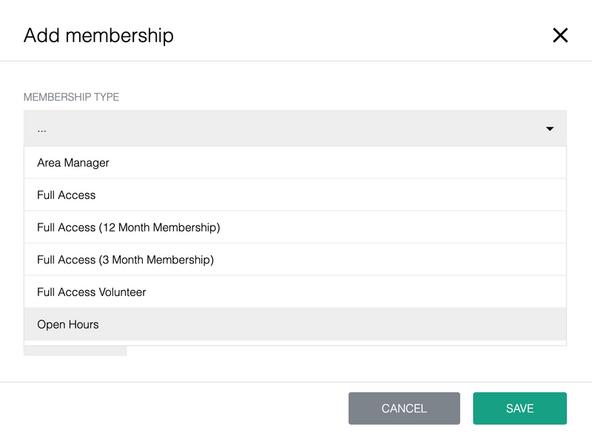
Scroll to Memberships & Hireables. Click +Add Membership.
-
Choose the membership type from the dropdown. The Fee Amount will automatically populate.
-
Leave the boxes checked to send an email and create a transaction. Click Save.
-
-
-
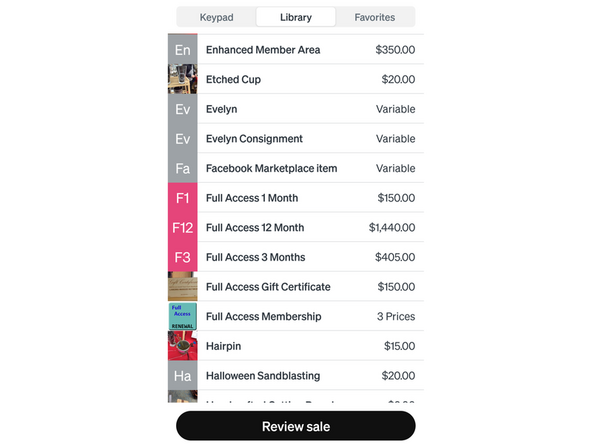
Log into Square with your code.
-
Select the correct membership type. 01 - Open Hours 1 month 03 - Open Hours 3 months F1 - Full Access 1 month F3 - Full Access 3 months F12 - Full Access 12 months
-
Tap Charge. Choose their payment type.
-
Check - In the Optioal Note field, type in the check number (in the top right of the check). Tap Record payment. The cash drawer will open. Staple their receipt to their check and put the check underneath the coin compartment.
-
Cash - take their cash and, if necessary, tap Custom, type in the amount, tap Tender. The cash drawer will open. Square will tell you how much to give back in change (if any.)
-
Charge - ask them to tap the Square reader.
-
Give them the paper receipt if they want it. At this point, the member is all set.
-
-
-
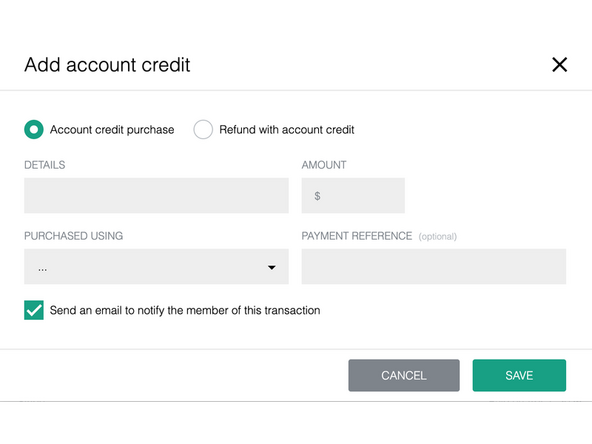
In Hello Club, click Finance, then click $ Add Account Credit.
-
Enter membership renewal in Details.
-
Enter the amount they paid.
-
Select the method of payment under Purchased Using. For any checks, enter the check number in Payment Reference.
-
Uncheck the box to send an email to notify the member, then click Save.
-
Click the 3 dots next to Membership Fee and select Pay with account credit. Click Confirm.
-
-
-
Discounts cannot be combined.
-
There are no open-hours discounts.
-
Full Access Discounts
-
3 month full-access membership discount: 10% off ($405)
-
12 month full-access membership discount: 20% off ($1440)
-
Other Discounts
-
Senior (65+) discount: 50% off
-
Family or Student discount: 50% off
-
-
-
Open-hours volunteer discount
-
All volunteers get free open-hours membership for every ten hours of volunteer time per month.
-
Full access volunteer discount
-
Volunteers may get full-access membership for 10 hours of volunteer time per month plus $50 per month.
-
Shift leads automatically get full access so that they can get into the building at the start of their shifts.
-
Area managers automatically get full access.
-